Unlimited Members
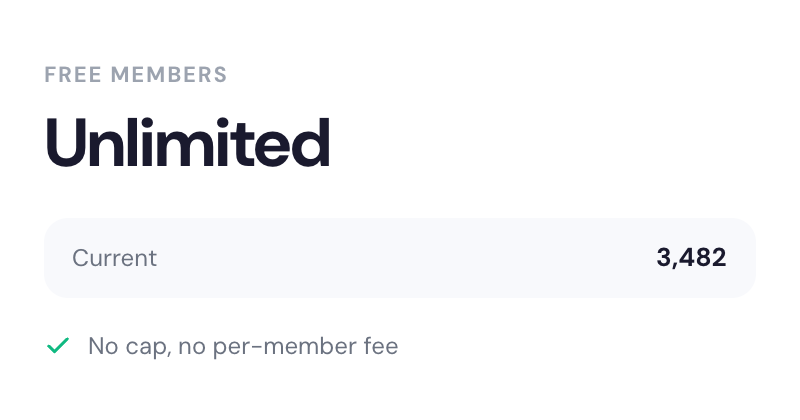
Scaling isn't a problem with Memberstack - even if your site has millions of members, you'll never hit a limit with Memberstack.
Log in as any member from your dashboard. See their content, their permissions, their experience. Debug issues in seconds instead of going back and forth over email.
The old way
The Memberstack way
jane.doe@example.com
Pro Plan
mark.s@company.io
Starter Plan
ali.l@studio.co
Pro Plan
Issue identified in 23 seconds
Content gating rule was misconfigured for Pro plan
From support ticket to resolved — in under a minute
Stop guessing. Stop emailing back and forth. Just see what they see.
A member says "I can't see the premium content." Instead of asking for screenshots, browser info, and plan details, you click "Login as Member," select their domain, and see exactly what they see. The problem is either obvious or it isn't there. Either way, you have your answer in under a minute.
Building a new plan tier? Changed your gating rules? Swapped content visibility? Log in as an existing member on that plan and verify everything looks right. No need to create test accounts, manage fake emails, or guess what members experience.
This feature doesn't conflict with the "disable concurrent login" setting. When you log in as a member, they stay logged in on their end. You're viewing their experience without disrupting it.
Learn how to implement this feature with step-by-step guides and examples.
Note: This feature does not conflict with the disable concurrent login feature. An admin and a member can be logged into the same account at the same time.
From support tickets to client demos — Login as Member handles it all.
| Scenario | How Login as Member Helps |
|---|---|
Support ticket: "I can't access X" | See their exact view in seconds |
New plan tier testing | Verify content gating before launch |
Onboarding QA | Check what new members see on first login |
Permission debugging | Confirm visibility rules work correctly |
Client handoff | Show clients exactly what their members experience |
Support ticket: "I can't access X"
See their exact view in seconds
New plan tier testing
Verify content gating before launch
Onboarding QA
Check what new members see on first login
Permission debugging
Confirm visibility rules work correctly
Client handoff
Show clients exactly what their members experience
Everything you need to know about Memberstack. Can't find what you're looking for? Reach out to our team.
No. Your admin session and their member session can run simultaneously. This doesn't conflict with the disable concurrent login feature — an admin and a member can be logged into the same account at the same time.
You're viewing their experience, not editing it. To make changes to their plan or permissions, go back to the dashboard.
You'll choose which domain to log in on. If you have both staging and production domains configured, you can test on either.
No. Login as Member is specifically designed to not conflict with the disable concurrent login setting. When you log in as a member, they stay logged in on their end. You're viewing their experience without disrupting it.
You can log in as any member in your dashboard. Simply search for the member you want to impersonate, click 'Login as Member,' and select the domain you want to view their experience on.
Join 50,000+ teams using Memberstack. Login as Member is built into every dashboard — no extra setup, no credit card required.